
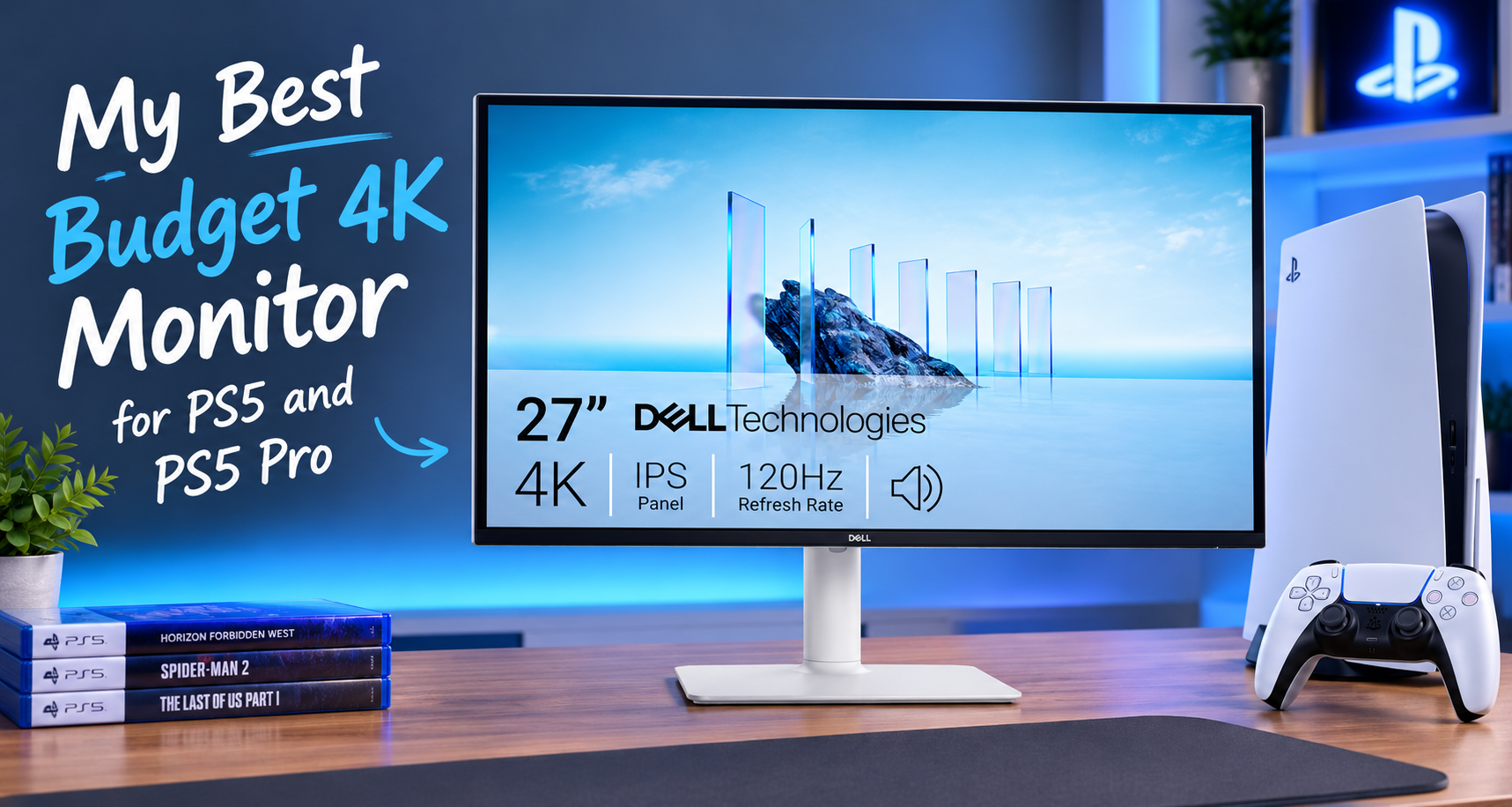
Dell S2725QS: My Best Budget 4K Monitor for PS5 & PS5 Pro
Finding a good 4K monitor for PS5 shouldn’t mean spending $500 or more just to get the features that actually matter. If you want sharp image quality, smooth gameplay, and support for 120Hz gaming without paying for expensive features you may never use, there are some excellent budget-friendly options worth considering.
The Dell S2725QS 27-inch 4K monitor stands out to me because it combines a 4K IPS panel, a 120Hz refresh rate, and HDMI 2.1 connectivity at a price that has frequently been below $300. That’s an appealing combination for PS5 and PS5 Pro owners who want a noticeable upgrade from a basic 60Hz display without stretching their budget unnecessarily.
However, there’s an important distinction between a monitor that looks impressive on its specification sheet and one that delivers the right experience for your particular needs. The S2725QS has some genuine limitations, especially with HDR, dark scenes, and motion handling. After examining the available research, I think it’s a particularly interesting option for gamers who prioritize resolution and smooth gameplay over cinematic HDR performance.
Dell 27 Monitor S2725QS, 4K UHD


My verdict at a glance: ★★★★☆ (4.3/5)
I’d seriously consider the Dell S2725QS for a budget-conscious PS5 setup. Its combination of 4K resolution, 120Hz, and HDMI 2.1 is what makes it attractive. Just don’t buy it expecting OLED-like blacks or impressive HDR, because that’s not what this monitor is designed to deliver.
Dell S2725QS: Product Overview
| Specification | Details |
|---|---|
| Screen size | 27 inches |
| Resolution | 4K UHD, 3840 × 2160 |
| Panel technology | IPS |
| Refresh rate | 120Hz |
| Connectivity | 2 × HDMI 2.1, 1 × DisplayPort 1.4 |
| Response time settings | 4ms Extreme, 5ms Fast, 8ms Normal |
| Brightness | 350 nits |
| Static contrast ratio | 1500:1 |
| Color coverage | 99% sRGB |
| Speakers | 2 × 5W |
| Warranty | 3-year Basic Hardware Service, including Premium Panel Exchange under Dell’s policy |
Why Choosing a 4K Monitor for PS5 Is More Complicated Than It Sounds
When choosing a gaming monitor, it’s easy to get distracted by refresh rates, response times, HDR labels, and other technical specifications. But I prefer to start with a simpler question: which features will actually improve your gaming experience?
For PS5 and PS5 Pro owners, resolution, refresh rate, HDMI connectivity, and image quality are among the most important considerations.
4K resolution makes a difference on a 27-inch screen
The Dell S2725QS has a resolution of 3840 × 2160 pixels. On a 27-inch screen, that works out to approximately 163 pixels per inch, producing a particularly sharp image.
For games with detailed environments, small interface elements, and fine textures, this pixel density is an appealing advantage. It also makes the monitor useful for everyday computer work, where text and documents appear crisp.
Of course, a 4K monitor doesn’t automatically mean every PS5 game renders internally at native 4K. Games use different rendering resolutions and image reconstruction techniques. The display gives you a 4K output capability, but the final image also depends on the game and console settings.
Why 120Hz matters more than chasing 144Hz or 240Hz
A 120Hz refresh rate allows the display to refresh up to 120 times per second. When a game supports higher frame rates, this can provide smoother motion and more responsive gameplay than a conventional 60Hz display.
For PS5 players, I consider 120Hz a sensible target. Paying extra for a monitor advertising 144Hz, 180Hz, or 240Hz isn’t necessarily worthwhile if you’re primarily playing on a console that targets output up to 120Hz.
Keep in mind that a 120Hz monitor doesn’t make every game run at 120 frames per second. The game must support an appropriate performance mode, and its actual frame rate depends on how it is designed to run.
HDMI 2.1 is an important part of the package
The S2725QS includes two HDMI 2.1 ports, making it possible to connect your PS5 and another HDMI device without constantly swapping cables.
More importantly, the monitor’s HDMI connectivity supports 4K at 120Hz and Variable Refresh Rate (VRR), giving compatible games the opportunity to deliver smoother motion when frame rates fluctuate.
VRR helps synchronize the display’s refresh behavior with the console’s output. This can reduce distracting tearing and uneven presentation when supported games cannot maintain a perfectly consistent frame rate.
Buying tip: Don’t assume that any 4K monitor advertised as a gaming display supports 4K at 120Hz over HDMI. Check the actual HDMI capabilities before buying. The S2725QS is appealing because it combines the resolution and connectivity needed for this particular console setup.
What Makes the Dell S2725QS Worth Considering?
The main reason I’d consider this monitor is its balance of useful features and price. It doesn’t attempt to compete with expensive OLED gaming displays in every area. Instead, it focuses on delivering a sharp 4K image and a high refresh rate while remaining relatively affordable.
| Feature | Practical benefit |
|---|---|
| 4K IPS panel | Sharp image detail and wide viewing angles. |
| 120Hz refresh rate | Smoother motion in games that support higher frame rates. |
| HDMI 2.1 and VRR | Supports the key display features sought by PS5 and PS5 Pro owners. |
| 1500:1 contrast ratio | Better nominal contrast than traditional 1000:1 IPS panels, although blacks remain limited compared with OLED. |
| Adjustable stand | Height, tilt, swivel, and pivot adjustments help you position the display comfortably. |
| Two HDMI inputs | Convenient for connecting a PS5 and a second HDMI device. |
What I particularly like about this combination is that the monitor doesn’t force you to choose between 4K resolution and a 120Hz refresh rate. Both are available in one relatively budget-friendly package.
Its 99% sRGB coverage also makes it suitable for everyday media consumption and general desktop work. If you use your gaming monitor for browsing, studying, or working between gaming sessions, that versatility adds to its value.
The Biggest Limitation: Don’t Buy It for HDR
This is the part I’d pay close attention to before ordering.
The Dell S2725QS accepts an HDR signal, but that doesn’t mean it can deliver the kind of HDR experience associated with a good OLED or Mini-LED display.
Its brightness reaches approximately 350 nits, and its edge-lit backlight lacks local dimming zones. Without the ability to control brightness independently across different areas of the screen, the monitor struggles to maintain deep blacks while displaying bright highlights.
In practice, dark scenes can look grayish rather than genuinely black, particularly when gaming in a dark room. Enabling HDR can also make the overall image look washed out rather than more impressive.
This is why I’d treat the S2725QS primarily as an SDR gaming monitor with 4K resolution and 120Hz support. Based on the available research, SDR is generally the better choice for preserving its image quality.
My advice about HDR
Don’t pay extra for a monitor simply because the packaging mentions HDR. Brightness, contrast, and local dimming capabilities determine how convincing HDR actually looks. On the S2725QS, the 4K resolution and 120Hz refresh rate are much stronger reasons to buy it.
If you mostly play colorful games in a well-lit room, these limitations may not bother you much. If you love cinematic games with dark environments and want deep blacks, I’d look at an OLED display or a well-reviewed Mini-LED alternative instead.
How Good Is Its Motion Handling for PS5 Gaming?
The S2725QS offers three response-time settings: Normal, Fast, and Extreme. It’s tempting to assume the fastest setting is automatically the best, but this is a case where pushing a specification to its limit can make the picture worse.
According to the available research, the Extreme setting uses aggressive overdrive and can produce inverse ghosting. This appears as bright or distracting trails around moving objects, which can be more noticeable than the motion blur the setting is intended to reduce.
I’d start with the Fast setting and compare it with Normal. The Extreme setting is best avoided based on the reported testing.
Although this isn’t a specialist esports monitor designed around ultra-fast response times, its 120Hz refresh rate and low reported input lag make it a reasonable fit for many console players. For story-driven adventures, racing games, sports titles, and a mixture of genres, the balance is appealing.
Competitive players who prioritize the clearest possible motion above all else may prefer a faster gaming-focused display. The S2725QS is more about combining resolution, refresh rate, and affordability than maximizing competitive performance at any cost.
Design, Ergonomics, and Everyday Use
Unlike monitors that lean heavily into aggressive gaming aesthetics, the Dell S2725QS has a relatively understated design. Its Ash White rear casing and slim bezels give it a clean appearance that should fit comfortably into a gaming desk or home office.
The included stand is another useful feature. It supports height adjustment, tilt, swivel, and a 90-degree pivot into portrait orientation. That flexibility makes it easier to position the display for comfortable gaming and everyday work.
There is, however, a reported weakness: some users find the stand slightly wobbly, particularly when typing on a less stable desk. The monitor itself can be well constructed while the stand still allows some movement.
If stability is important to you, the standard 100 × 100mm VESA mounting support gives you the option of using a compatible third-party monitor arm instead.
What about the built-in speakers?
The monitor has two integrated 5W speakers. They’re convenient for basic audio, videos, and everyday desktop use, but I wouldn’t buy this monitor expecting immersive gaming sound.
The speakers lack meaningful bass, which limits their ability to reproduce the impact of explosions, gunfire, and cinematic soundtracks. A dedicated gaming headset or suitable external audio setup remains the better choice if sound quality matters to you.
One important detail for PS5 owners: the research identifies no 3.5mm analog audio output on this model. If you plan to connect traditional wired desktop speakers through the monitor, check your audio connection requirements before buying.
Connectivity: Make Sure You’re Buying the Right Dell Model
Dell also sells the S2725QC, a closely related model with a similar display panel. The similar names make it easy to confuse the two, but the connectivity is different.
| Feature | S2725QS | S2725QC |
|---|---|---|
| DisplayPort | Yes | No |
| USB-C | No | Yes, with 65W Power Delivery |
| USB hub | No downstream USB ports | USB peripheral connectivity |
| Best fit | Console and desktop PC users | Laptop users needing USB-C docking |
For a PS5-focused setup, I’d lean toward the S2725QS because its DisplayPort connection is useful for a desktop PC, while its two HDMI inputs suit a console and another HDMI device.
If you want to connect a laptop with a single USB-C cable that also charges it, the S2725QC makes more sense. Don’t pay for the wrong model simply because the names look almost identical.
What Real Users and the Available Research Suggest
The available research synthesizes user feedback rather than providing a collection of independently verified, verbatim testimonials. Several recurring themes nevertheless help explain what buyers are likely to appreciate and what may frustrate them.
What buyers tend to appreciate
- Value for money: The combination of 4K, 120Hz, and HDMI 2.1 is frequently identified as the main reason to choose the monitor, particularly when its price is below $300.
- Sharp image quality: The high pixel density makes text and fine details look crisp, benefiting both gaming and productivity.
- Console compatibility: The HDMI 2.1 connection supports the key 4K/120Hz and VRR features sought by current-generation console owners.
- Simple, versatile design: The restrained appearance and adjustable stand make it suitable for mixed work and gaming environments.
What buyers tend to complain about
- Limited HDR: Dark scenes can look washed out, and HDR does not deliver the dramatic contrast expected by some buyers.
- Stand stability: Some owners report noticeable movement during desk use.
- Setup quirks: Research reports occasional HDMI sleep-wake problems, particularly when connected to a PC at 120Hz.
- Response-time artifacts: The Extreme overdrive setting can create distracting inverse ghosting.
These complaints don’t necessarily make the monitor a poor purchase. They show why it’s important to understand what you’re paying for. Someone primarily interested in sharp 4K gameplay may be perfectly satisfied, while someone expecting outstanding HDR or premium motion clarity may feel disappointed.
Setup Tips Before You Start Gaming
Getting the best experience from the S2725QS doesn’t require an elaborate setup, but I’d pay attention to a few details.
1. Confirm that 120Hz is enabled
Connect the PS5 using a suitable HDMI 2.1 cable, then check the console’s screen and video settings. The availability of 120Hz gameplay depends on the game and its supported display modes, so don’t expect every title to run at 120fps.
2. Enable VRR when supported
If you’re playing compatible games, VRR can help smooth out fluctuations in frame rate. Check the console’s video settings and verify that the display is recognized as supporting the relevant features.
3. Start with Fast response time
Try the Fast setting first. If you notice distracting bright trails, compare it with Normal. Based on the available research, Extreme is the setting I’d avoid.
4. Don’t force HDR
Because the panel’s HDR performance is limited, compare the image in SDR rather than assuming HDR will look better. The research suggests SDR generally produces a more pleasing result on this monitor.
5. Check your desk and audio setup
If the stand moves more than you’d like, consider a compatible VESA mount. Also, plan your audio connections in advance if you want to use external speakers, because the monitor lacks a 3.5mm analog audio output.
Long-Term Ownership and Warranty
The S2725QS includes a three-year Basic Hardware Service warranty with Dell’s Premium Panel Exchange program. This is a useful part of the ownership proposition, but the exact pixel policy matters.
The research indicates that Dell’s Premium Panel Exchange covers a single bright pixel under the applicable policy, while dark pixels are subject to different thresholds. The report describes a threshold of six or more dead subpixels for a replacement claim, meaning a single dark pixel may not qualify.
I’d recommend checking the current warranty terms for your country before purchasing, because eligibility and service conditions are important when dealing with a defective panel.
There are also reports of occasional power-cycling failures and HDMI sleep-wake issues. These are not presented as problems affecting every unit, and the available research doesn’t establish their overall failure rate. Still, they are worth knowing about, particularly if you’re buying the monitor for both work and gaming.
Pros and Cons
| Pros | Cons |
|---|---|
| Sharp 4K resolution on a 27-inch screen. | HDR performance is limited. |
| 120Hz refresh rate for compatible PS5 games. | Blacks can look gray in dark rooms. |
| Two HDMI 2.1 ports with support for 4K/120Hz and VRR. | Extreme overdrive can cause inverse ghosting. |
| Good balance of gaming and productivity features. | The included stand may wobble on some desks. |
| Adjustable stand and understated design. | No USB-C connectivity or 3.5mm audio output. |
| Three-year warranty with Premium Panel Exchange provisions. | Some reported firmware and reliability issues deserve consideration. |
How It Compares With Other Gaming Monitors
The Dell S2725QS isn’t the right choice for everyone. Two alternatives in the available research illustrate why your priorities matter more than the number of features listed on a product page.
Dell S2725QS vs. Dell S2721QS
The older Dell S2721QS is a 4K monitor with a 60Hz refresh rate and HDMI 2.0 connectivity. The S2725QS raises the refresh rate to 120Hz, upgrades to HDMI 2.1, and offers a higher stated contrast ratio.
If you’re buying specifically for a PS5 and want 4K at 120Hz, I’d favor the newer S2725QS. The older model could still make sense if you find it at a substantially lower price and are happy with 60Hz gaming.
Dell S2725QS vs. AOC Q27G3XMN
The AOC Q27G3XMN takes a different approach. It uses a 1440p VA Mini-LED panel, with local dimming that gives it a meaningful advantage in HDR brightness and dark-scene contrast.
The Dell is the more appealing option if you prioritize 4K resolution and a straightforward 4K console setup. The AOC becomes more interesting if HDR impact and deeper blacks matter more to you, although the available research flags limitations around PS5 VRR compatibility at 1440p.
Dell S2725QS vs. Gigabyte M28U
The Gigabyte M28U offers a 4K resolution and a 144Hz refresh rate, along with a built-in KVM switch and faster reported pixel response performance. It may suit someone who splits their time between a PC and console and values those additional features.
The Dell is the budget-conscious alternative I’d consider when the main objective is 4K console gaming at up to 120Hz. Whether the Gigabyte is worth paying more for depends on the price difference and how much you value its PC-focused features.
| Monitor | Main advantage | Best suited for |
|---|---|---|
| Dell S2725QS | 4K, 120Hz, HDMI 2.1 | Budget-conscious PS5 players wanting a sharp image. |
| Dell S2721QS | 4K at 60Hz | Buyers prioritizing a lower purchase price over 120Hz. |
| AOC Q27G3XMN | Mini-LED HDR and stronger contrast | Buyers who prioritize HDR and dark-scene performance. |
| Gigabyte M28U | 144Hz and KVM functionality | Hybrid PC and console users who value additional features. |
Who Should Buy the Dell S2725QS?
- PS5 and PS5 Pro owners on a budget: You want 4K resolution, a 120Hz refresh rate, and HDMI 2.1 without spending heavily on a premium gaming monitor.
- Players who enjoy a variety of genres: You want a balanced display for supported high-frame-rate games, racing titles, adventures, and everyday gaming.
- Gamers who also work at their desk: The high pixel density, wide viewing angles, and 120Hz refresh rate make it useful beyond gaming.
- Buyers who value practical features over gaming aesthetics: You prefer an understated design and an adjustable stand rather than an aggressively styled gaming display.
Who Should Avoid It?
- HDR enthusiasts: If you want bright highlights, convincing HDR, and deep blacks, look at a suitable Mini-LED or OLED alternative.
- Competitive PC players chasing maximum motion clarity: A faster gaming-focused monitor may be a better fit if very high refresh rates and rapid pixel response are your priorities.
- Laptop users who need USB-C docking: Consider the Dell S2725QC instead if you require USB-C with 65W Power Delivery.
- Users who rely on a 3.5mm audio output: The absence of this connection could complicate your speaker setup.
Dell 27 Monitor S2725QS, 4K UHD
Frequently Asked Questions
Is the Dell S2725QS good for PS5?
Yes. Its 4K resolution, 120Hz refresh rate, and HDMI 2.1 connectivity make it a strong candidate for PS5 gaming, particularly if you want a sharp image without spending a lot on a premium display. It also supports VRR, which can improve the presentation of compatible games.
Can it display 4K at 120Hz?
Yes. The research identifies support for 4K at 120Hz through its HDMI 2.1 connections. To benefit from 120Hz gaming, the game and console settings must support the appropriate output mode.
Is the Dell S2725QS good for PS5 Pro?
It is a sensible option for PS5 Pro owners who want a 4K display with 120Hz support. The 27-inch panel offers high pixel density, although the monitor itself cannot guarantee that every game will render at native 4K or reach 120fps.
Does it have good HDR?
No. Although it accepts an HDR signal, its 350-nit brightness and lack of local dimming limit the impact. Based on the available research, SDR generally provides a more pleasing image on this model.
Does it have built-in speakers?
Yes. It includes two 5W speakers that are suitable for basic audio and videos. For immersive gaming sound, I’d use a dedicated headset or a suitable external audio solution.
Can I connect my laptop using USB-C?
No. The S2725QS doesn’t have USB-C connectivity. If you want a single-cable laptop connection with 65W charging, look at the closely related Dell S2725QC instead.
Does the monitor include an HDMI cable?
The available research says that the package includes a 1.8-meter HDMI 2.1 cable and a power cable. It does not include a DisplayPort cable.
Is the Dell S2725QS worth buying under $300?
At a price below $300, its combination of 4K resolution, 120Hz, and HDMI 2.1 makes it particularly attractive for budget-conscious PS5 owners. I’d still compare current prices and warranty terms before ordering, because value depends on the deal available and the alternatives in your market.
My Final Verdict: Is This the Best Budget 4K Monitor for PS5?
If I were choosing a 4K monitor for PS5 or PS5 Pro and wanted to keep the budget under control, the Dell S2725QS would be one of the first models I’d consider.
The reason is straightforward: it prioritizes the features that can make a real difference to console gaming. You get a sharp 4K image, a 120Hz refresh rate, and HDMI 2.1 connectivity without automatically stepping into the price range of premium gaming monitors.
Its biggest weakness is equally clear. The HDR implementation doesn’t deliver the contrast and brightness that some players expect, and the IPS panel cannot reproduce deep blacks in dark rooms. There are also smaller compromises involving motion handling, stand stability, and connectivity.
Those limitations would not automatically put me off buying it. I’d rather have a reasonably priced monitor that delivers the core features I need than spend considerably more on specifications that won’t improve my particular setup. But if cinematic HDR quality is a priority, I’d save for a better-suited Mini-LED or OLED display.
My recommendation: Consider the Dell S2725QS if you want a budget-friendly 4K monitor for PS5, value smooth 120Hz gameplay, and care more about resolution and practical performance than HDR. At the right price, it offers a sensible balance without asking you to pay for an expensive display you may not need.