
Samsung 990 Pro SSD Review for PS5 and PS5 Pro
The Samsung 990 Pro is a premium PCIe 4.0 NVMe SSD with impressive read and write speeds, a dedicated DRAM cache, and excellent rated endurance. It comfortably meets Sony’s requirements for PS5 storage expansion and offers more than enough performance for demanding PS5 and PS5 Pro games.
But there is an important question: Do you actually need an SSD this fast for your PlayStation 5? In my view, the 990 Pro is an excellent choice if you want premium hardware, but its impressive PC benchmark numbers do not automatically translate into noticeably better gaming performance than a good, more affordable PS5-compatible SSD.
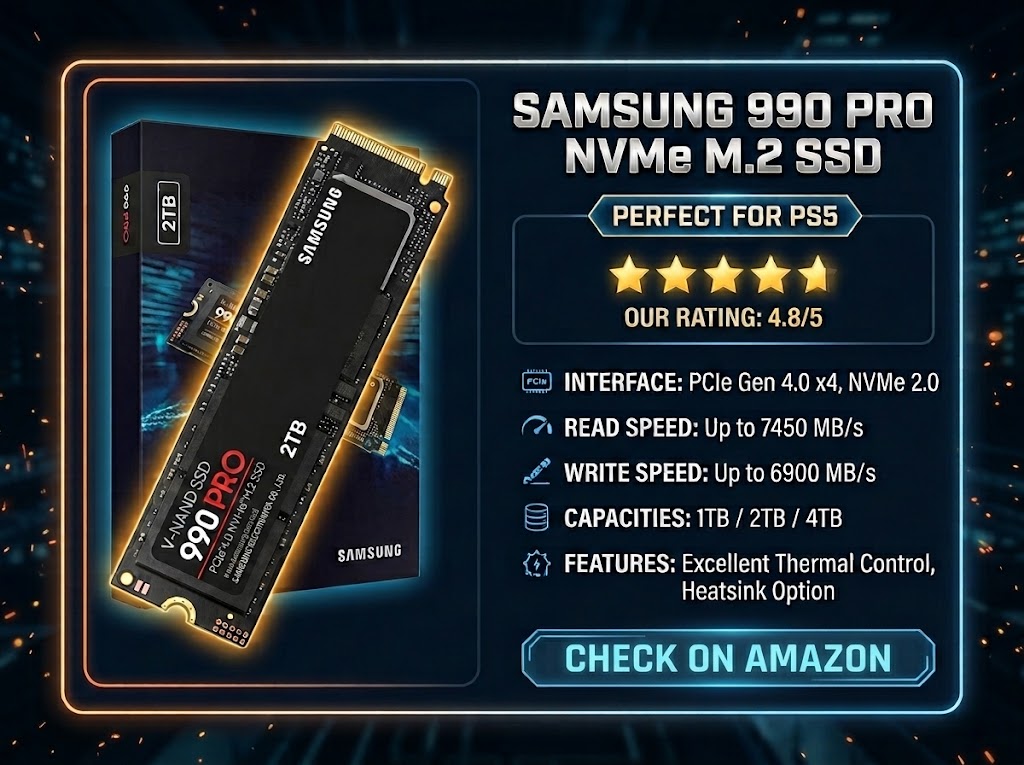
My verdict: ★★★★★ [4.8/5]
An exceptionally fast and capable SSD for PS5 and PS5 Pro, with strong endurance and a convenient heatsink option. Its main drawback is value for money: you can often get a similarly satisfying gaming experience from a less expensive compatible drive.

Samsung 990 Pro: Ratings at a Glance
| Category | Rating | My assessment |
|---|---|---|
| PS5 gaming performance | ★★★★★ | Excellent performance for demanding games. |
| Thermal management | ★★★★★ | The factory-heatsink version simplifies cooling. |
| Build quality and features | ★★★★★ | Premium controller, TLC NAND, and dedicated DRAM. |
| Firmware and reliability considerations | ★★★☆☆ | Early firmware issues were addressed, but older stock deserves attention. |
| Endurance | ★★★★★ | High rated write endurance and a five-year limited warranty. |
| Value for money on PS5 | ★★★☆☆ | Excellent hardware, but its premium price may not be justified. |
Samsung 990 Pro Specifications
Here are the main specifications worth knowing before choosing this SSD for your console.
| Specification | Samsung 990 Pro |
|---|---|
| Interface | PCIe 4.0 x4, NVMe |
| Form factor | M.2 2280 |
| Maximum sequential read | Up to 7,450 MB/s |
| Maximum sequential write | Up to 6,900 MB/s |
| Memory type | Samsung V-NAND TLC |
| DRAM cache | Dedicated LPDDR4 DRAM |
| Available capacities | 1TB, 2TB, and 4TB |
| Rated endurance | 600TBW, 1,200TBW, and 2,400TBW, respectively |
| Warranty | Five-year limited warranty, subject to applicable terms |
| Heatsink options | Bare drive and factory-heatsink versions |
These are manufacturer-rated maximum figures, not guaranteed speeds in every system. Actual performance varies with workload, free space, firmware, and system configuration.
PS5 and PS5 Pro Gaming Performance
The PS5 requires a compatible PCIe Gen4 x4 NVMe SSD and recommends a sequential read speed of at least 5,500 MB/s. The Samsung 990 Pro comfortably exceeds that recommendation, making it a suitable performance-oriented expansion option.
Its high bandwidth and dedicated DRAM cache help it handle game data efficiently, including large textures and other assets used by modern titles. Once installed and formatted, it can store and run compatible PS5 games directly, as well as PS4 games.
However, raw speed is only part of the story. The PS5 uses a custom storage and decompression architecture, and loading times depend on the game, its data structure, and the console’s processing pipeline. A faster SSD does not automatically make every game load proportionally faster.
| Gaming task | What to expect |
|---|---|
| Loading games | Fast loading, although differences between compatible SSDs may be small. |
| Open-world asset streaming | Plenty of storage bandwidth for demanding PS5 titles. |
| Moving large game files | Strong write performance, limited by the source drive and console when applicable. |
| Game downloads | Ample SSD speed; internet and network conditions often matter more. |
| Frame rates and graphics | No direct FPS or graphics upgrade simply from installing this SSD. |
Samsung 990 Pro PS5 Load Times: Reported Results
Specifications are useful, but most gamers want to know how quickly they can get into a game. The following reported measurements show the time taken to move from the main menu to active gameplay on a PS5 equipped with the Samsung 990 Pro.
| PS5 game | Reported load time |
|---|---|
| Ghost of Tsushima: Director’s Cut | 2.68 sec |
| Astro’s Playroom | 2.97 sec |
| Tony Hawk’s Pro Skater 1 + 2 | 4.40 sec |
| Marvel’s Spider-Man: Miles Morales | 4.90 sec |
| Horizon Forbidden West | 5.00 sec |
| Kena: Bridge of Spirits | 5.63 sec |
| Elden Ring (PS5 version) | 5–6 sec |
| Fortnite | 6.87 sec |
| Control Ultimate Edition | 7.31 sec |
Testing note: These are supplied reported measurements, not independently verified, standardized benchmarks. Actual times may vary with game updates, save files, console software, and the precise start and end points used in testing. Nine game results were supplied.
These examples illustrate how quickly PS5 games can reach active gameplay. They do not, on their own, prove that the 990 Pro loads games faster than competing SSDs. A fair comparison would require testing the same titles on the same console, using identical conditions and different drives.
Cooling and Heatsink Requirements
High-performance NVMe drives generate heat during intensive operations. If temperatures become excessive, an SSD can reduce its operating speed to protect its components. Proper cooling is therefore an important part of installing an M.2 drive in a PS5.
The Samsung 990 Pro is available with or without a factory-installed heatsink. The heatsink-equipped model is convenient because it removes the need to choose and fit a separate cooling solution. If you buy the bare version, you must install a suitable compatible heatsink before using it in the console.
The factory heatsink version also has RGB lighting, but this is largely irrelevant once the SSD is installed inside the closed console. Cooling, compatibility, and price are much more important when choosing the right version.
Reliability and the Early Firmware Issue
The Samsung 990 Pro received attention after some early drives reported unusually rapid declines in their S.M.A.R.T. health percentages. This raised concerns among owners who had invested in a premium SSD.
Samsung released firmware updates to address the reported health-monitoring anomaly and other stability issues. The early health reporting problem was not, by itself, proof that the NAND flash had physically worn out at the rate shown by the reported percentage.
There is one practical consideration for PS5 users: the console does not offer a built-in way to update the 990 Pro’s firmware. If you purchase older stock that needs an update, you may need a compatible computer and Samsung’s supported update utility or another supported update method.
I would buy from a reputable retailer and pay particular attention to the drive’s condition and firmware if purchasing old stock. This history is worth knowing, but it does not mean that every Samsung 990 Pro is defective.
Endurance and Expected Lifespan
The 990 Pro has high rated write endurance, making it suitable for regular game installations, updates, downloads, and gameplay capture. Samsung rates its capacities as follows:
| Capacity | Rated endurance | Limited warranty |
|---|---|---|
| 1TB | 600TBW | Five years |
| 2TB | 1,200TBW | Five years |
| 4TB | 2,400TBW | Five years |
TBW means terabytes written. It is a manufacturer-rated endurance limit, not a prediction of exactly when a drive will fail. For most gamers, the 990 Pro’s rated endurance is more than adequate for years of regular use. The warranty remains subject to Samsung’s terms and applicable endurance limits.
What PS5 Owners Should Know Before Buying
Pros and Cons
| Pros | Cons |
|---|---|
| Excellent sequential read and write speeds | May cost more than necessary for PS5 gaming |
| Dedicated DRAM cache | Older stock may require a firmware update |
| High rated endurance | Firmware cannot be updated directly through the PS5 |
| Factory-heatsink option available | RGB lighting offers little benefit inside the console |
| Available in capacities up to 4TB | Higher specifications do not guarantee shorter loading times in every game |
Is the Samsung 990 Pro Worth Buying for PS5?
The Samsung 990 Pro is an excellent option if you want premium storage hardware and find it at a competitive price. It offers ample performance for PS5 and PS5 Pro games, strong rated endurance, and a factory-heatsink version that makes installation more convenient.
However, if your main priority is expanding your storage without overspending, I would compare its price with other reputable PCIe 4.0 SSDs that meet Sony’s requirements. In many cases, you can save money without giving up a meaningful amount of gaming performance.
Final verdict: 4.8/5
The Samsung 990 Pro earns its place as a premium PS5-compatible SSD thanks to its excellent specifications, dedicated DRAM, high rated endurance, and available heatsink option.
My recommendation: Buy it if you find a good deal and want premium hardware. If it costs considerably more than a reliable alternative, prioritize capacity, compatibility, cooling, and value rather than paying extra for speed figures that may not noticeably change your gaming experience.